September 24, 2026
How High-Volume Sellers Optimize Their Amazon Listings
High-volume growth on Amazon takes more than a polished product page. It requires a deliberate listing strategy built around how customers search, compare, and decide what to buy. The strongest approach combines clear audience understanding, focused SEO, useful content, strong imagery, and ongoing testing.
Who’s shopping on Amazon?
Even though it seems like everyone shops at Amazon, there are three main types of shoppers:
- Head of Household: These shoppers are usually parents, and they’re looking for the best bargain.
- Product Researcher: These shoppers aren’t necessarily looking for the best deal; they’re looking for the best product. They’re most likely to read your content and the accompanying reviews.
- Impulse Buyer: These buyers live for the thrill of instant gratification. They are driven by the high rate of acquisition.
When you’re optimizing your product page, it’s important to appeal to different segments of buyers. Some of them will be compelled by images only, while others will be looking to maximize their budget.
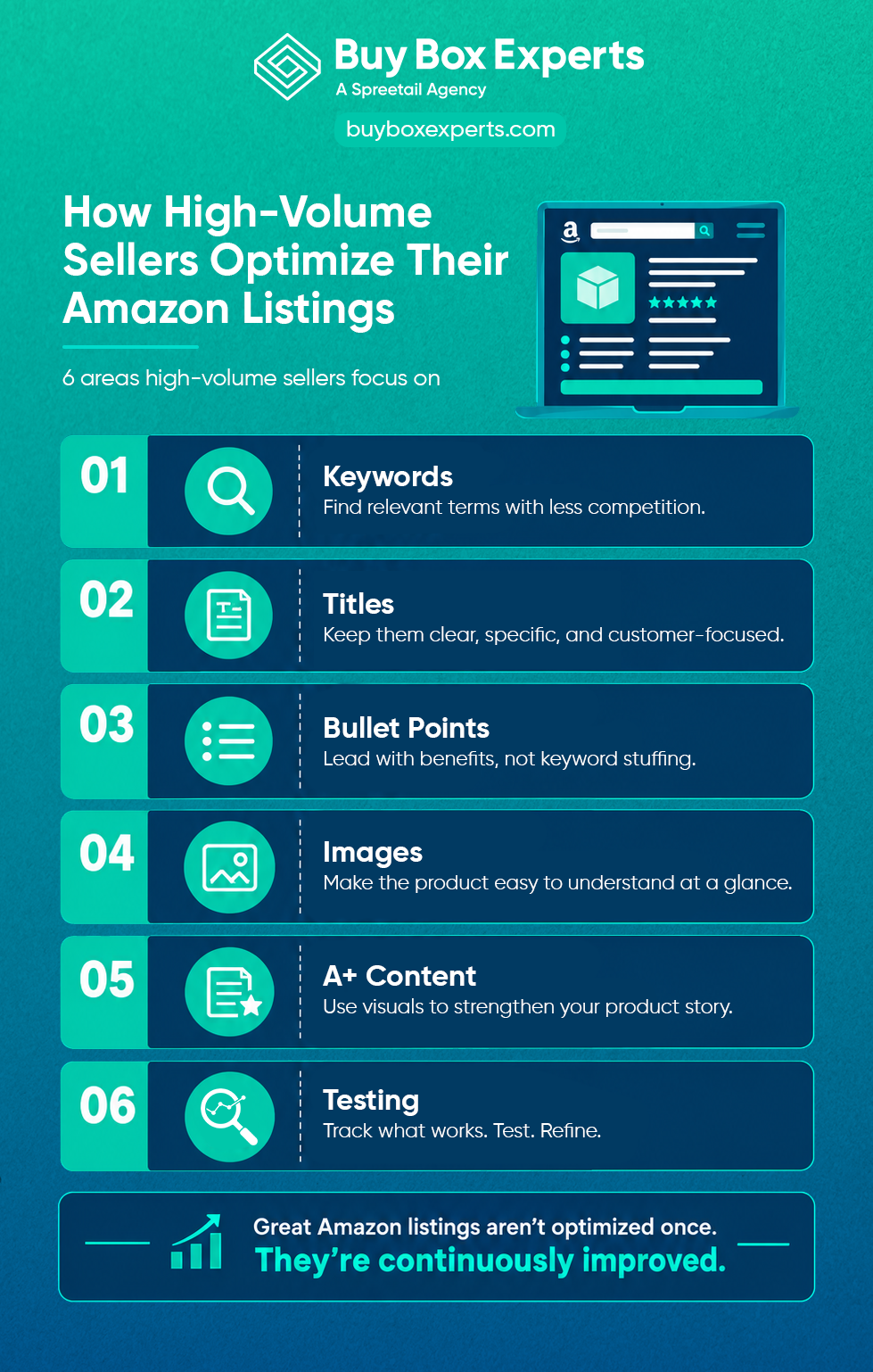
High-Volume Sellers Optimize Their Amazon Listings
SEO and Keyword Research
Start with search behavior, not a list of tools. Use Amazon’s first-party search and performance data to understand how customers find products, which terms earn impressions and clicks, and where conversion drops off. Amazon Brand Analytics includes Search Query Performance, Top Search Terms, and Search Catalog Performance dashboards that can inform keyword and listing decisions.
Go for specificity, dominate a niche and generate revenue, and then you can start trying to rank for keywords that are more competitive. Keywords are one major way customers will find you, so doing the research pays off.
Record, Test, and Then Test Again
Record all the data on a spreadsheet and start testing your keywords. If you’re running PPC, you’ll have more performance data to work with. Determine which keyword has the highest conversion rate, then alter your product page copy to prominently feature that high-converting keyword.
Keyword Research Don’ts
- Don’t bother with plurals or hyphens
- Don’t skip long-tail keywords
- Don’t stress over being on “page 1”
- Don’t skip verifying the keywords are relevant
- Don’t skip verifying the keywords are positive
How to Write Winning Titles
Keep it Simple
Keywordstuffing feels disingenuous to customers. Remember, it’s all about their perception, not just the algorithm.
Amazon’s updated title requirements took effect July 27, 2026. For all non-Media categories, Item Name is limited to 75 characters including spaces, with another 125 characters available in Item Highlights. Amazon also began using AI-powered recommendations for noncompliant titles and Item Highlights, so brands that are particular about their content should review and control those fields rather than relying on automatic reoptimization.
Write for the Customer and the Search
Keep title language specific to both the audience and the search intent. Focus on the product, the strongest differentiators, and the terms customers actually use to find it. If a variation attribute is essential to understanding the product, prioritize the most important detail within the title and move secondary information to Item Highlights when needed.
How to Write Converting Descriptions
Keep it Simple for your Customer
In the age of distraction, your customer likely isn’t going to read several paragraphs about your product. Front-load the biggest benefits of your product and clearly outline its main features so your customer doesn’t have to slog through walls of text.
Use concise description blocks to highlight specific features, customer use cases, materials, and other details that help high-intent shoppers compare products. A working range of roughly 200–250 characters per focused section can keep the copy specific without turning it into a wall of text; adjust that range when the category or competitive set calls for more detail.
Product information also matters to Amazon’s AI shopping experience. Alexa for Shopping can answer product questions, compare items, and surface category and product insights, so clear, specific listing details are increasingly useful beyond traditional keyword search.
Don’t Be Boring
While you definitely need to keep your description simple, it shouldn’t read like an instruction manual. Capture your customer’s attention with a story and engaging content. In fact, it’s worth the extra effort of enlisting a good writer to make your description stand out. Your writer can also make the copy clear and easy to read, helping customers quickly find the information they need for purchase decisions.
Product Description Don’ts
- Don’t have a lot of copy in one paragraph
- Don’t have customer service information or links to your website
- Don’t keyword stuff
- Don’t only have one line of copy
How to Make Bullet Points That Sell
Use the five available bullets to make the product feel complete without repeating the same benefit five different ways. Build a range of information around the customer need: lead with meaningful benefits, then cover lifestyle or use cases, what is included, compatibility or sizing, and any care or assembly requirements customers need for proper use. Each bullet should help answer a different purchase question.
If what you’re selling comes in a box, clearly explain what’s in the box. If batteries, mounting materials, or instructions are included, say so.
Bullet Point Don'ts
- Don’t include emojis, symbols, or special characters
- Don’t keyword stuff (even though it’s important to use relevant keywords in a seamless manner)
- Don’t make unsubstantiated product performance, superiority, or benefit claims
How to Have a Great Back-End
We’re not talking about doing squats. When you’re filling out your Amazon back-end information, fill out every single field. It’s all indexed by Amazon, and it can definitely help you with your rating.
Back-End Information Don’ts
- Don’t bother reusing keywords. If you’ve used a keyword on the front end, don’t use it on the back end.
- Don’t skip any information you have
- Don’t forget to check that everything went through
- Don’t use more than 249 characters in the “search term” box
- Don’t worry about punctuation
How to Make Images That Sell
Some of your customers won’t even bother reading your product description; they’ll rely mostly on your images and reviews. With that in mind, be sure to:
- Use high-res photos
- Use white backgrounds
- Use call-outs and infographics in your pictures
- Make them mobile-friendly
- Show who your target customers are. Your customers should be able to see themselves in your lifestyle images.
Imagery Don’ts
- Don’t have too much copy
- Don’t have information directed to your website
- Don’t have small or low-def images
- Don’t have poor grammar
- Don’t have limited images
Enhance Sales with A+ Content and Brand Story
The biggest trick to A+ Content is making it mobile-friendly. While your sales may be coming from a desktop, customers also shop on mobile devices. Amazon’s A+ Content Manager includes desktop and mobile preview options so you can make sure important information is easy to read for a variety of devices. Source: https://sell.amazon.com/blog/a-plus-content-design-guide
You should be using lifestyle shots and infographics in your A+ Content. You have the freedom to get high-quality content here. If you think of your A+ Content as your landing page or homepage on a website, the same rules apply: use headers and subheaders and educate your audience. This is your chance to really solidify your brand’s reputation on Amazon. Having professional-looking A+ Content and treating it as a storefront will differentiate you from the masses. Amazon now offers Basic A+ Content, Premium A+ Content, and Brand Story, which can be used to showcase product information and communicate your brand story on product detail pages.
A+ Content Don’ts
- Don’t have too much copy
- Don’t have information directed to your website
- Don’t have poor-quality imagery
- Don’t have poor grammar
- Don’t use random stock photos
Let Us Analyze Your Listing
If you’re following all the above advice, you should be off to a great start. If you want to make more granular adjustments that can take your product listings to the next level, let us analyze your listing for free. We’ve optimized 20,000+ listings and have managed $500k+ in ad spending to help some of the top sellers on Amazon.
The best Amazon sellers know how to maximize their brand presence. We can transform your listing into a gorgeous storefront with impeccably written content and beautiful images that compel your customers to buy.