September 23, 2026
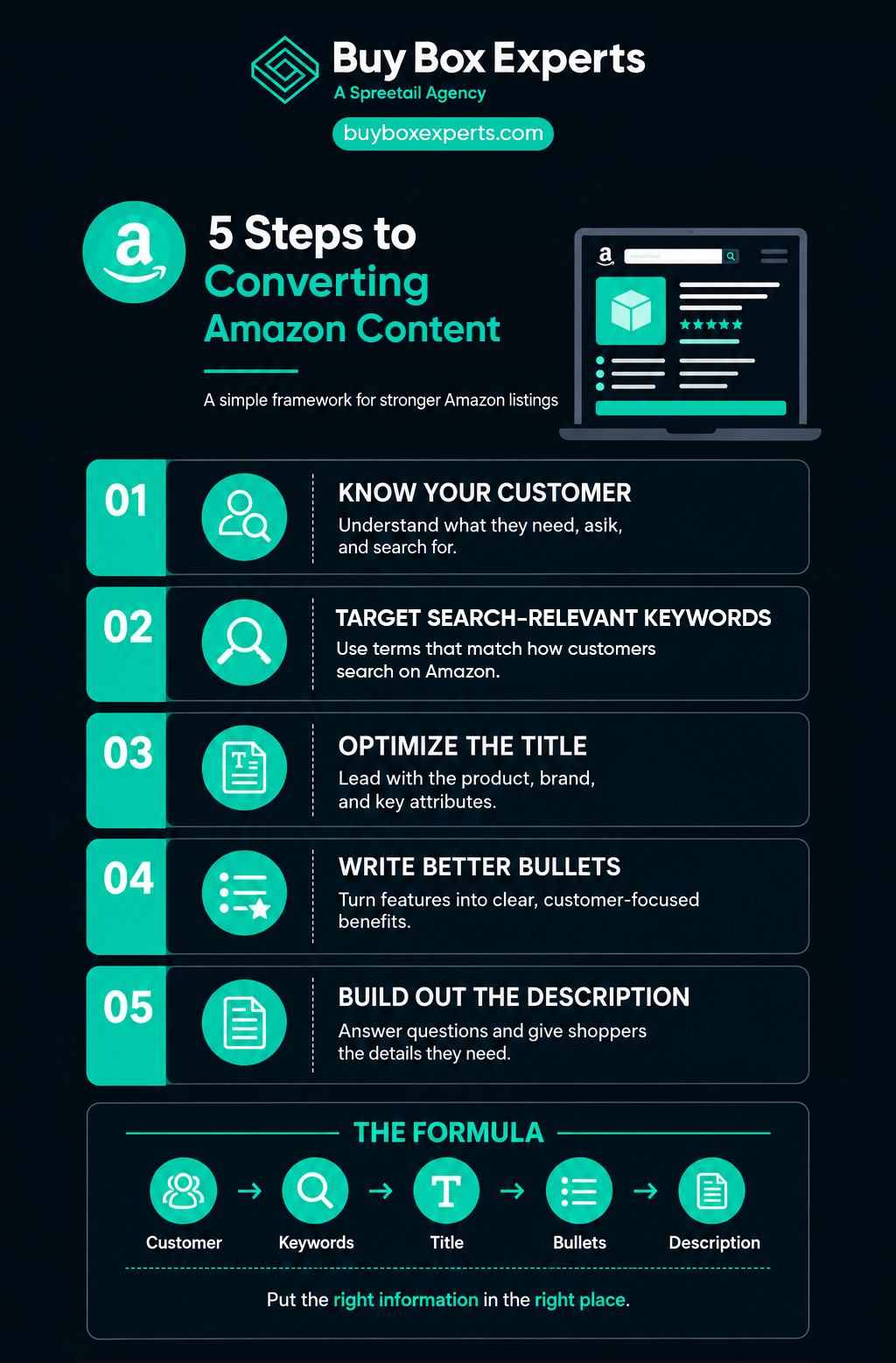
5 Steps to Converting Amazon Content
Intuition matters, but sellers competing for growth on Amazon need a listing strategy grounded in what customers actually search for and need to know.
A significant share of Amazon shoppers browse and purchase on mobile devices, and A+ Content is now Amazon's standard enhanced content format. Customers rely on listings that are concise and informative. Product images are your top salesmen, but they can’t stand alone.
When photos don’t answer every question, customers turn to bullet points. More particular shoppers go further, using the product description to understand features such as dimensions and materials. Customers need to feel comfortable buying something they can’t hold in their hands, and detail-rich content helps give them confidence that the product meets their needs.
Beyond the final sale, Amazon content carries more searchable weight than it used to. These five steps will help you prioritize the right information in the right places to create optimized, converting content.
Step 1: Customer Profile
Before writing a single line, you need a clear understanding of your target audience. There’s a big difference between writing for any customer and writing for your customer. Generic content won’t speak directly to their lifestyle, needs, or concerns.
Replace industry-leading brand claims with content focused on uses, features, and unique facts. Customers search for solutions to problems, and descriptive specifications give them the information they need to move beyond the consideration stage of the marketing funnel.
Imagine a shopper’s running shoes have worn down, and they want a new pair that boosts performance. A shoe seller should write from that perspective. Average content might look like this:
“Our running shoes are not only stylish, but will also help you run like a pro. These shoes are manufactured for quality and durability and built to last through anything you can put them through. Available colors include blue, green, and black to fit any style.”
Content optimized for the audience, though, will read more like this:
“PERFORMANCE ENHANCING – Our running shoes are engineered for performance. From the laces to the traction, these shoes will increase your agility, speed, and aerodynamics. With memory foam insoles and impact-absorbing platforms, you can stop chanting ‘No pain, no gain.’”
Both sound good, but only the second keeps the customer’s specific needs in focus. The first says the shoes will help you “run like a pro.” The second explains how they increase performance.
Figuring out an audience’s specific needs takes work. Outside of Amazon-only tools like Amazon Brand Analytics and Product Opportunity Explorer, customer reviews are another valuable source of optimizable information. If customers are asking about, praising, or complaining about a feature, your content should highlight or address it. Sellers can also use Amazon’s available insights and AI tools such as Amazon Alexa for Shopping to identify common customer concerns and buying priorities.
Understanding the customer also changes how you choose keywords. The keywords that reach a soccer mom differ from those that reach a bodybuilder, and the right keywords help shape your voice. A baby crib listing might explain how the product “keeps your precious little angel safe and comfortable.” Content for an evening gown might describe how it will “turn heads and elegantly captivate the room.” Office-supply content should focus on price and quality, while a toolbox listing should highlight functionality.
Step 2: Keywords
Once you know what customers want from a product, you need to understand how they’ll find it. Keywords are essential to Search Engine Optimization (SEO), and searchability comes down to the relevance and performance of your listing. Relevance is determined by whether your keywords are indexed. Adding content alone is inconsequential until Amazon recognizes and uses it, making keyword selection a critical part of getting in front of customers. Pair relevant keywords with meaningful product details, and avoid unnecessary repetition.
Keywords come in two forms.
Raw keywords are long-tail terms that typically contain multiple words per strand. They work well in content and sponsored product campaigns. Most customers search using multiple words, so capturing those terms in order can be beneficial.
Refined keywords are single words that hold individual weight. Like raw keywords, they can be applied to front-end content or the title. In the back end, though, refined keywords need to be unique: they can’t repeat words already used on the front end, and they can’t be other brand names or unrelated terms. Amazon allows up to 250 bytes of back-end search terms per product, so careful selection of every term is mandatory.
Numerous platforms claim to have the best keyword search engine, and it takes practice to know what to search for in those queries. Combining results from several sources helps the most prominent words rise above the others.
Step 3: Product Title
Writing a product title used to mean packing in as many keywords, MPNs (Manufacturer Part Number), and terms as the character limit allowed. Amazon is now wisely combing out that clutter and encouraging sellers to keep titles simple. Follow Amazon's current category-specific title requirements, and prioritize the brand, product name, product type, key attributes, and included items before adding secondary details. Keep the title readable instead of keyword stuffed. Done well, a simple title improves conversion from search pages to detail pages.
Step 4: Bullet Points
Bullet points are where many customers turn when images haven’t convinced them. Use all five bullets and as much of the character limit as makes sense. Fill them with useful information and relevant keywords while leaving out irrelevant fluff. Lead with the benefits customers care about most, then explain the features behind them. Be clear about compatibility, size, inclusions, and important notices.
This is where customer profiling really comes into play. Your customer cares about a specific set of details, and the possibilities are endless. There’s no universal list of what to include, but relevant information can make a clear difference:
DON'T: “Our phone case is 5.6 x 2.8 x 0.3 inches.”
DO: “Our phone cases fit the iPhone 6 and are slim enough to slide easily into your pocket.”
Often, the customer doesn’t care about the actual measurements. They want to understand the relative size for daily use, such as whether the case will fit their phone. Including product dimensions can be vital to converting content, or it can be a waste of space. Customer concerns and reviews help you make that distinction. False claims and keyword stuffing can also have negative effects; there are better ways to sell a product without irritating or distracting the buyer.
Once you’ve compiled the details, features, and benefits, highlight the top five. Note the distinction between a feature and a benefit: a feature refers to the product’s quality and function, such as extra attachments or abilities, while a benefit is what the customer gains from them. These five selling points should also coordinate with your top keywords. Order your bullet points by importance, starting with the strongest feature or benefit.
If your bullet points don’t include enough of the top product details, customers may wander into competitors’ listings while scrolling toward the product description. Understanding the audience and putting the right information in the right place can make the deal-closing difference.
Step 5: Product Description
Product descriptions are like a story. They can cover the pain points a product solves, the packaging it comes in, and how it’s set up. Customers might want to know how to use, store, dispose of, or care for a product. If relevant, this is also a good place to talk about your brand’s values. Plus, you can address potential issues and provide longer explanations for questions in customer reviews to demonstrate transparency and engagement.
Use the description to expand on features, answer common questions, explain setup or use, and reinforce your brand story. Maintain natural keyword placement with a variety of SEO phrases that can blend seamlessly in the larger space.
While formatting this section, avoid keyword stuffing, don’t mention competitors, and use the end of the description to explain any important disclaimers, material composition, and care instructions that will help the life of the product.
Application
Limited content space should never be taken for granted; it’s an asset for searchability. For converting content, research the selection and order of product details carefully. Because Amazon is constantly changing, stay up to date with character limits, location changes, and rules, then pivot your strategy accordingly.
Find Experts if You Need Them
For sellers managing multiple e-commerce platforms, working with an Amazon support agency can also provide a valuable source of ongoing insights. Amazon has its own content requirements, advertising tools, marketplace dynamics, and customer behaviors, so strategies that work elsewhere may not always translate directly. An experienced agency can help sellers understand those differences while keeping their Amazon presence aligned with broader e-commerce goals.
This can be especially useful for brands just starting their Amazon journey. Rather than navigating every new requirement or platform feature alone, sellers can use an agency’s experience to identify areas that need attention and build a stronger understanding of how their Amazon strategy fits into the larger business. Over time, that collaboration can become a continuous source of observations and recommendations, helping teams adapt their approach as their marketplace presence develops. For brands already balancing several e-commerce channels, that outside perspective can also help keep Amazon from becoming an afterthought while maintaining consistency across the customer experience.